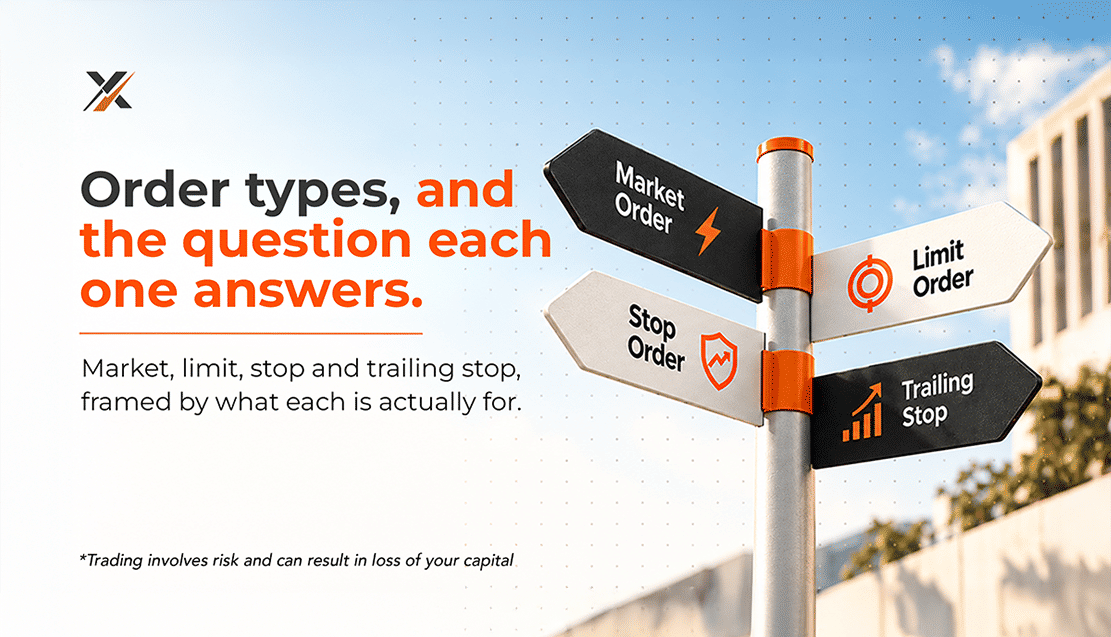
Every order you send is an answer to a question. "Do I want in right now?" is one question. "Would I buy, but only cheaper?" is another. "Where do I admit I am wrong?" is a third. MetaTrader 5 gives each of these questions its own order type, and once you know which question you are asking, choosing the order becomes simple.
This guide explains forex order types in plain English: what each one does, what it guarantees and what it does not, and how to set it up in MetaTrader 5.
Key takeaways
• A market order answers "Now?". It fills straight away at the best available price, but the exact price is not guaranteed.
• A limit order answers "Only at a better price?". It guarantees your price or better, but not that you will be filled.
• A stop order answers "Only once the market proves it?". It triggers at your level, then fills like a market order.
• Stop loss and take profit answer "Where am I wrong?" and "Where am I done?", and close the position for you.
• Expiry answers "How long is this idea valid?", so an old order does not fill after its reason has gone.
What are the main forex order types?
Forex order types fall into two groups. Market orders buy or sell immediately at the best available price. Pending orders wait for a price you set: limit orders fill at that price or better, stop orders trigger once price reaches it, and stop limit orders combine both. Stop loss and take profit orders close an open position automatically.
In MT5, that adds up to six ways to open a trade and three ways to close one automatically. The rest of this guide takes each one in turn, then shows how they work together in a single trade plan.
Market orders: "Do I want in right now?"
What a market order does
A market order buys at the current ask or sells at the current bid, immediately. It is the default in MT5: open the New Order window (press F9), leave the type set to Market Execution, and click Buy or Sell. Use it when being in the trade matters more than the exact entry: you have made the decision, and waiting could cost you the move.
Speed versus price: slippage
A market order guarantees a fill, not a price. Between the moment you click and the moment the order reaches the market, the price can change. The difference is called slippage. On major pairs in normal conditions, it is usually small or zero, and it can work in your favor as well as against you. Around major news releases, at the weekly open, and on thinly traded instruments, it can be larger. MT5 records the price you actually received in the History tab, so you can always compare it with the price you saw.
Limit orders: "Only at this price or better"
Buy Limit and Sell Limit
A limit order waits for a better price than the one on screen. A Buy Limit sits below the current ask: you are saying "I would buy, but only if it gets cheaper". A Sell Limit sits above the current bid: "I would sell, but only if it gets higher". Traders use them to buy pullbacks to support, sell rallies into resistance, or simply avoid chasing a move that has already run.
What a limit order guarantees, and what it does not
A limit order fills at your price or better, never worse. The trade-off is that it may not fill at all. If price stops one pip short of your level and turns, the order sits untouched, and the move happens without you. That is the real question behind a limit order: would you rather miss the trade than pay more for it? If the answer is yes, use a limit.
One detail catches many traders out. Buy orders fill at the ask and sell orders at the bid, but a standard MT5 chart draws only the bid. A Buy Limit at 1.08300 triggers when the ask reaches 1.08300, which is when the bid line on your chart is lower by the spread. If a level looks touched on the chart but your buy order did not fill, this is usually why.
Stop orders: "Only once the market proves it"
Buy Stop and Sell Stop
A stop order is the mirror image of a limit. A Buy Stop sits above the current ask and a Sell Stop below the current bid. You are saying "I want to buy, but only if price breaks higher first", or "I want to sell, but only if it breaks lower". Breakout traders use stop orders so that the market has to confirm the idea before they commit any money to it.
Why stop orders can fill beyond your price
When price reaches a stop level, the order becomes a market order and fills at the next available price. In a steady market, that is at or very close to your level. In a fast market, or when price gaps over the weekend or on a news release, the fill can be further away. A stop order guarantees that you will be filled once the level is reached; it does not guarantee the price.
Stop limit orders: buying the retest
MT5 adds a hybrid that many platforms do not offer. A Buy Stop Limit has two prices: a stop price above the market and a limit price below that stop. When the ask reaches the stop price, MT5 places a Buy Limit at your limit price. A Sell Stop Limit works the other way round: a stop below the market and a limit above it. The question it answers is: if the breakout happens, where would I buy the pullback, rather than the spike? The cost is the same as any limit order: if price breaks out and never looks back, you will not be filled.
Stops level: the minimum distance
Each instrument has a Stops level, shown in its contract specification (right-click it in Market Watch and choose Specification). It is the minimum distance, in points, allowed between the current price and a pending order, stop loss, or take profit. If MT5 rejects an order with "Invalid stops", the level you entered is usually too close to the market, or on the wrong side of it.
Stop loss and take profit: the exit questions
Stop loss: "Where am I wrong?"
A stop loss closes a position automatically if price moves against you to a level you set. The useful way to choose it is to ask where your trade idea would be proven wrong, for example, just beyond the support you bought at, rather than how much you can bear to lose. Decide the level first, then size the position so that a hit costs an amount you accept.
Take profit: "Where am I done?"
A take profit closes the position at a target. It answers the question traders are least likely to ask while a trade is going well: where was I planning to get out? Setting it in advance takes that decision away from the emotions of a winning position.
Which price closes your trade
A buy position closes by selling, so its stop loss and take profit are triggered by the bid. A sell position closes by buying, so its levels are triggered by the ask, which is not the line on a standard chart. A stop loss on a sell trade placed just above a chart high can therefore be hit when the spread widens, even if the chart never touches it. And like any stop order, a stop loss becomes a market order once triggered, so after a gap it can close beyond your level.
Trailing stops
A trailing stop moves your stop loss behind price as the trade goes your way, and never moves it back. In MT5, right-click an open position, choose Trailing Stop, and pick a distance. One detail matters: the MT5 trailing stop runs in your terminal, not on the server, so it only trails while MetaTrader 5 is open and connected. If you close the platform, your last stop loss stays in place but stops moving.
Expiry: "How long is this idea valid?"
Every pending order in MT5 has an expiration setting:
• Good till cancelled (GTC): stays active until it fills or you delete it
• Today: cancelled at the end of the current trading day
• Specified: cancelled at a date and time you choose
• Specified day: cancelled at the end of a day you choose
A pending order is a decision made in advance, and the reason behind it can go out of date. A Buy Stop above last week's high may make little sense after this week's news. Use the shortest expiry that fits the idea, and review any GTC orders at least once a week.
Choosing the right order: start with the question
When you are unsure which order to use, say the question out loud. The answer points to the order:
| If you are asking... | Use | Where it sits |
|---|---|---|
| "I have decided. I want in now." | Market order | At the current price |
| "I like it, but not at this price." | Buy Limit / Sell Limit | Buy the ask below, sell above the bid |
| "Only if the level breaks." | Buy Stop / Sell Stop | Buy above the ask, sell below the bid |
| "If it breaks, I want the retest." | Buy Stop Limit / Sell Stop Limit | Stop beyond the price, limit back toward it |
| "What if I am wrong?" | Stop loss | Against the position |
| "What if I am right?" | Take profit | In favour of the position |
| "How do I keep a winner?" | Trailing stop | Follows price at a set distance |
Putting it together: one trade plan, every order
Suppose EUR/USD is quoted at 1.08500 / 1.08510 and has turned lower at 1.09000 twice this week. Your idea: if price breaks above 1.09000, it can run to around 1.09650. Your account holds $5,000 and you risk 1% per trade. Using illustrative figures:
| Decision | Order | Level | Question it answers |
|---|---|---|---|
| Entry | Buy Stop | 1.09050 | Only once it breaks? |
| Exit if wrong | Stop loss | 1.08750 (30 pips below entry) | Where am I wrong? |
| Exit if right | Take profit | 1.09650 (60 pips above entry) | Where am I done? |
| Time limit | Expiry: Today | End of the trading day | How long is it valid? |
| Size | 0.16 lot | 30 pips x $1.60 per pip = $48 at risk | How much? |
With a pip value of $10 per standard lot, 0.16 lot is worth $1.60 per pip, so a stop 30 pips away risks $48, just under 1% of the account. The target is twice the distance of the stop. If you would rather not buy the spike, swap the Buy Stop for a Buy Stop Limit with the stop at 1.09050 and the limit at 1.09000, and the entry becomes the retest of the old high instead.
The point is not the numbers, which are illustrative and not a trade recommendation. It is that every decision was made before the trade existed, and each one is attached to the order in MT5, so the plan keeps running even when you step away from the screen.
Your pre-order checklist
1. Name the question first: now, a better price, or confirmation? That picks market, limit, or stop.
2. Check which side of the price the order sits on: limits wait for a better price, stops for a breakout.
3. Remember that buy orders fill at the ask and sell orders at the bid, and allow for the spread.
4. Set the stop loss where the idea is wrong, then size the position to it.
5. Add a take profit, or a clear rule for when you will exit.
6. Give every pending order an expiry, and check the stop level if MT5 rejects it.
7. Around major news, expect wider spreads and possible slippage on market and stop orders.
Order types do not make a trade good or bad, but the wrong one can turn a good idea into a poor fill, or into no trade at all. Ask the question, choose the order that answers it, and attach your exits before you click. Every SnabbX account runs on MetaTrader 5, so all of the forex order types in this guide are available, whichever you choose. Compare Standard, Pro, and Islamic on our Accounts page to find the one that fits the way you trade.
Frequently asked questions
What is the difference between a limit order and a stop order?
A limit order waits for a better price than the current one: buy lower or sell higher. A stop order waits for price to move further first: buy higher or sell lower. Limits fill at your price or better; stops fill at the next available price.
What is the difference between a Buy Limit and a Buy Stop?
A Buy Limit is placed below the current price and buys on a pullback. A Buy Stop is placed above the current price and buys a breakout. Both are pending orders that wait until the price reaches your level.
Why did my stop loss close at a worse price than I set?
Once triggered, a stop loss becomes a market order and fills at the next available price. In fast markets, around news, or when price gaps at the weekly open, that price can be beyond your level.
Why did my buy limit not fill when the chart touched my price?
MT5 charts show the bid price. Buy orders fill at the ask, which is higher by the spread, so a Buy Limit needs the ask to reach your level, not just the line on the chart.
Does a trailing stop work when MT5 is closed?
No. The MT5 trailing stop runs in your terminal. If the platform is closed or disconnected, your last stop loss stays in place on the server but stops moving.
What is a stop limit order in MT5?
A Buy Stop Limit or Sell Stop Limit places a limit order once the price reaches a stop level. It lets you wait for a breakout and then enter on a pullback to a price you choose, instead of buying the spike.